What Is the ATTOM Property Data API?
Last updated: January 12, 2026
The ATTOM Property Data API provides programmatic access to ATTOM’s extensive property data, making it easy to integrate property insights directly into your applications, workflows, and analytics.
Instead of downloading files or manually searching data, you can request exactly the data you need, on demand, using simple web requests.
ATTOM APIs follow standard REST conventions and support both transaction-based pricing and subscription plans, giving you flexibility as your usage grows.
How the ATTOM API Is Organized
ATTOM’s property data is exposed through a collection of endpoints, each designed for a specific type of question or use case.
For example:
Retrieve core details for a single property
Search for properties by location or characteristics
Access valuations, community data, or historical information
Many use cases can be satisfied with a single endpoint, while more advanced workflows may combine data from multiple endpoints.
➡ For a full list of available endpoints, see ATTOM API Endpoints.
Making a Request
Every API request follows the same basic pattern:
Base URL + API version + endpoint + search parametersIn practice, most users start from an example and customize the search parameters based on their needs.
Example: Look up a property by address
This request uses the Basic Profile endpoint to return core details for a specific property.
https://api.gateway.attomdata.com/propertyapi/v1.0.0/property/basicprofile?address=4529 Winona Court, Denver, CO➡ For more details about request structure, see ATTOM API Endpoints.
Authentication: How Access Works
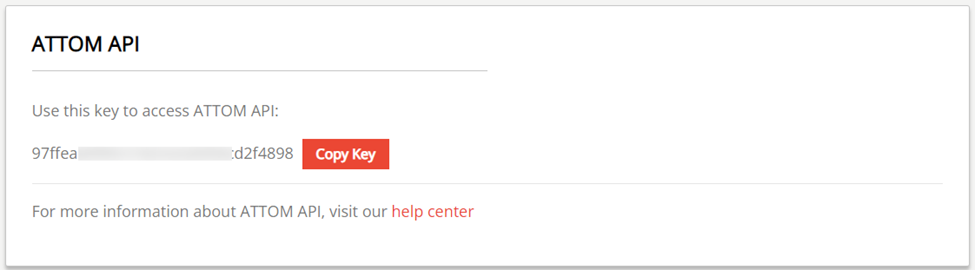
ATTOM APIs use API keys to authenticate requests and track usage.
To make a request:
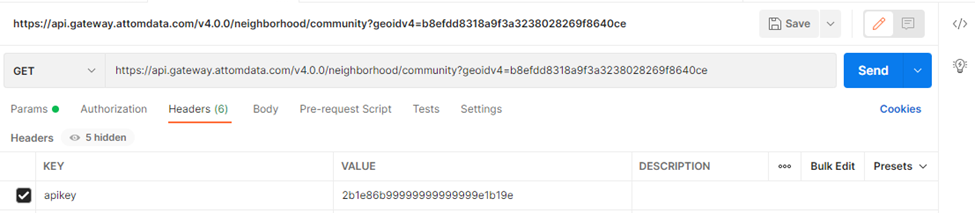
Include your assigned API key in the request header
Use the header name
apikey
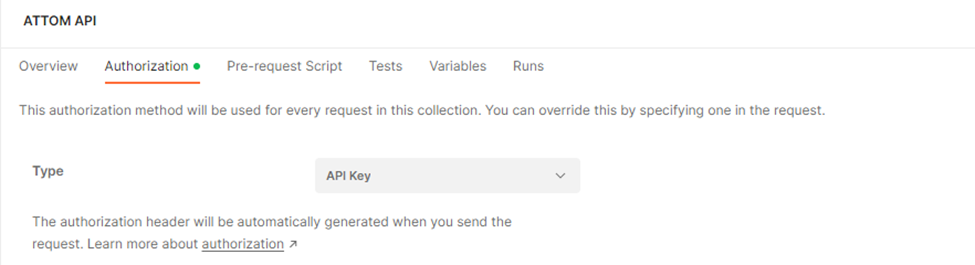
If you’re testing with tools like Postman, select API Key as the authorization method and pass your key in the request headers.
Your API key determines what data you can access and how much usage is allowed under your plan.
For trial extensions or pricing information, contact sales at 800-462-5125.
Searching for Properties
ATTOM APIs support search parameters that let you:
Match a specific property
Retrieve multiple properties that meet defined criteria
Search parameters are added to the end of the request and can be combined to narrow results.
Example: Filter properties by location and bedrooms
https://api.gateway.attomdata.com/propertyapi/v1.0.0/property/id?geoid=PL0820000&minBeds=1&maxBeds=2➡ For a complete list of supported filters, see ATTOM API Search Parameters.
Understanding the Data You Receive
ATTOM provides a wide range of property attributes across its APIs. To understand:
Which endpoints contain specific fields
What each field represents
How fields are named and structured
Refer to the Data Dictionary in the online API Developer Guide.
Monitoring Your API Usage
API usage is tracked based on your plan and API key. Monitoring tools are available to help you understand request volume and stay within your limits.
➡ For more details, see Monitoring API Usage.