Quickstart: Using the ATTOM MCP Server in Claude Desktop
Last updated: March 18, 2026
Prerequisites: Node.js 18 or higher must be installed on your machine. You can verify this by running node -v in your terminal.
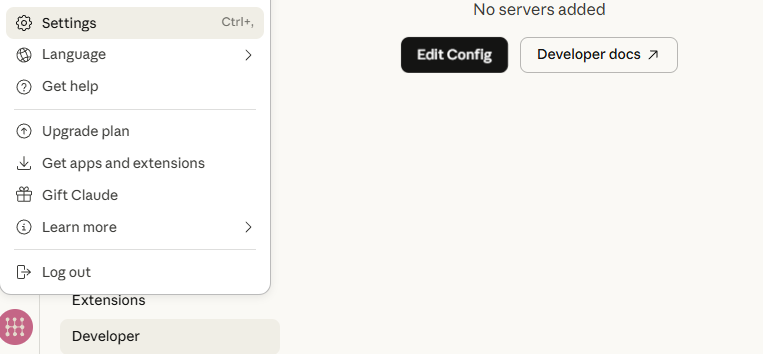
1. Open Your Claude Desktop Settings
Locate and open the Claude Desktop configuration file in a text editor:
macOS:
~/Library/Application Support/Claude/claude_desktop_config.jsonWindows:
%APPDATA%\Claude\claude_desktop_config.json
Screenshot from Claude Desktop:
2. Add the ATTOM MCP Server Configuration
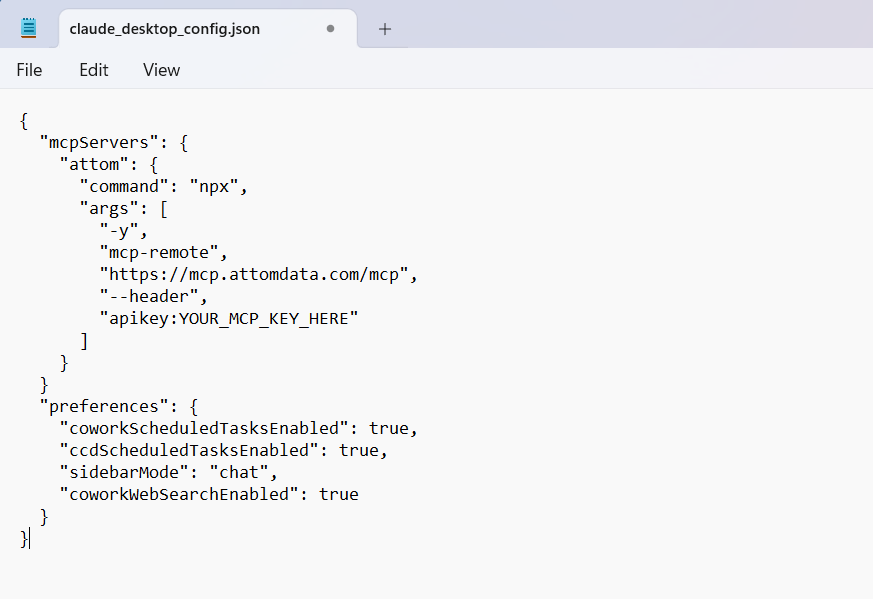
Insert the following block into the configuration file:
{
  "mcpServers": {
    "attom": {
      "command": "npx",
      "args": [
        "-y",
        "mcp-remote",
        "https://mcp.attomdata.com/mcp",
        "--header",
        "apikey:YOUR_MCP_KEY_HERE"
      ]
    }
  }
}
Replace YOUR_MCP_KEY_HERE with your MCP API key that you received from your sales representative.
Note: If you already have other MCP servers configured, add the attom block inside your existing mcpServers object rather than replacing the whole file.
Screenshot from Windows Notepad:
3. Restart Claude Desktop
Restart Claude to load your MCP configuration.
macOS: Quit Claude fully using Cmd+Q, then relaunch.
Windows: Right-click the Claude icon in the system tray and select Quit, then relaunch. If Claude does not appear in the tray, open Task Manager (Ctrl+Alt+Delete), find the Claude process, and end it before restarting.
4. Test Your Connection
In a new Claude chat, enter:
List the MCP tools available from the ATTOM MCP server.
Claude should display all ATTOM MCP tools.
5. Example Prompts
Try:
Using ATTOM MCP, get a full property report for 123 Main Street Los Angeles CA.
Using ATTOM MCP, retrieve 5 recent comparable sales for 789 Elm Street Austin TX.
Using ATTOM MCP, check whether 456 Oak Ave Denver CO is in foreclosure.
6. Troubleshooting
If ATTOM tools do not appear after restarting:
Confirm your API key is correctly entered with no extra spaces.
Verify Node.js is installed by running
node -vin your terminal.Double-check that the JSON in your config file is valid (no missing commas or brackets).